Translation Services Business Template Guide: Best HTML Templates
Learn to launch a professional translation website with our step-by-step guide. Discover how the Translation Services Business template leverages the best HTML templates for fast, SEO-friendly deployment.
Introduction
In today's competitive language services market, a polished online presence is essential for attracting clients. Whether you're a freelance translator or run a growing agency, your website must convey trust, clarity, and professionalism. While custom development can be expensive and time-consuming, best HTML templates offer a powerful shortcut. The Translation Services Business template from HTMLY is purpose-built for language professionals, combining modern design with clean, hand-coded HTML for lightning-fast performance. In this guide, you'll learn everything from setup to launch, turning this template into a client-winning machine.
Why an HTML Template is the Smart Choice for Translation Businesses
You might wonder: why not use a website builder or a CMS like WordPress? While those tools have their place, a standalone HTML template offers unmatched advantages:
- Speed – No database queries or bloated plugins. Pages load instantly, improving both user experience and search rankings.
- Full Control – You own the code. Unlike builder platforms, you can host anywhere, tweak any detail, and never pay monthly fees.
- Cost-Effectiveness – A one-time purchase of a premium template costs a fraction of custom development.
- SEO-Ready Structure – Semantic HTML5, clean headings, and fast performance are the foundation of the best HTML templates available today.
HTMLY curates a collection of such templates, and the Translation Services Business template stands out for its industry-specific layout. For a broader look at professional designs, explore the business category on HTMLY.
Overview of the Translation Services Business Template
Before diving into setup, let's review what makes this template effective. Designed specifically for translators, interpreters, and language agencies, it typically includes:
- A prominent hero section with a call-to-action button
- A services grid to list language pairs or specialties
- Client testimonial carousel
- About team section
- Contact form with validation
- Fully responsive and mobile-first design
These elements align with what clients expect: quick access to your services, proof of expertise, and an easy way to get in touch. The template uses modern CSS Grid and Flexbox, ensuring it looks stunning on all devices. Since it's built with the same care as other best HTML templates on HTMLY, you can trust its code quality.
Step-by-Step Setup Guide
1. Download and Extract
After purchasing the Translation Services Business template from HTMLY, download the ZIP file and extract it to your computer. You'll find a folder containing index.html, CSS stylesheets, JavaScript files, and an images directory.
2. Choose a Code Editor
To edit the template, you'll need a code editor. Beginners can start with free options like Visual Studio Code or Sublime Text. These provide syntax highlighting and make it easy to navigate the code.
3. Understand the File Structure
Open index.html in your editor. The template uses well-commented HTML, so you can quickly identify sections like the header, navigation, services, and footer. The CSS folder contains the main stylesheet, often with separate responsive rules. JavaScript files handle interactive elements like the mobile menu or form validation.
4. Preview Locally
Double-click index.html to open it in your browser. This gives you an instant preview. As you make changes, refresh to see results immediately.
Customizing the Template to Fit Your Brand
Replacing Placeholder Content
The first task is to swap the dummy text with your own. Edit the hero headline to something compelling like "Professional Translation Services in 50+ Languages." Update the services sections with your actual offerings, and add your team's bios. Look for <h1>, <p>, and list items in the HTML and replace them carefully.
Adding Your Own Images
Visuals matter. Replace stock photos with high-quality images of your team, office, or relevant graphics. Update <img> tags' src attributes to point to your new images. Ensure file sizes are optimized (we'll cover performance later).
Adjusting Colors and Fonts
Most templates use CSS variables or a well-organized stylesheet. Locate the color palette at the top of the CSS file and change hex codes to match your branding. If the template uses Google Fonts, you can swap them by updating the font import link and the font-family properties.
Customizing the Contact Form
The contact form is crucial for lead generation. Edit the recipient email address in the PHP file if one is included, or hook it up to a form handling service like Formspree or Netlify Forms. Test thoroughly to ensure messages reach your inbox.
Optimizing for Search Engines
Ranking well on Google for "translation services" requires attention to on-page SEO. The template already gives you a head start with semantic HTML, but you must refine the details:
- Title Tag – Replace the generic title with a descriptive one, such as "Professional Translation Services | Your Company Name." Keep it under 60 characters.
- Meta Description – Write a concise, enticing summary of your services (150–160 characters).
- Heading Hierarchy – Use one
<h1>for the main page title, and<h2>–<h6>for subheadings. The template likely does this, but verify. - Alt Text – Add descriptive alt attributes to every image. This aids accessibility and image search.
- Internal Linking – If you add extra pages, link them naturally from the navigation. This helps search engines crawl your site.
Remember that the best HTML templates are built with SEO in mind, but your content is what ultimately drives rankings. Research keywords your clients might use and incorporate them into your copy without overstuffing.
Making Your Website Multilingual
For a translation business, a multilingual website isn't just a bonus—it's expected. Here are practical ways to achieve it using this template:
- Single-Page Language Switcher – Duplicate
index.htmlfor each language (e.g.,index-es.htmlfor Spanish) and translate the content. Add a language dropdown in the navigation that links to these versions. Usehreflangtags in the<head>to guide search engines. - Dynamic Multilingual Content – If you're comfortable with JavaScript, you can store translations in JSON files and load them based on user selection. This keeps a single HTML file but requires more technical skill.
- Clear Visual Cues – Use flag icons or language names in the switcher. Ensure the design remains consistent across all versions.
Whichever method you choose, remember to translate all meta tags and alt text as well.
Performance and Mobile Optimization
Your template already adapts to any screen size, but you should still test and fine-tune:
- Page Speed – Use Google PageSpeed Insights or Lighthouse. Compress images with tools like TinyPNG before uploading. Minify CSS and JavaScript (many editors have extensions for this).
- Browser Testing – Check your site on Chrome, Firefox, Safari, and Edge. Test on actual devices, not just browser resize.
- Touch-Friendly Elements – Ensure buttons and links are easy to tap on mobile. The template's responsive menu likely already handles this.
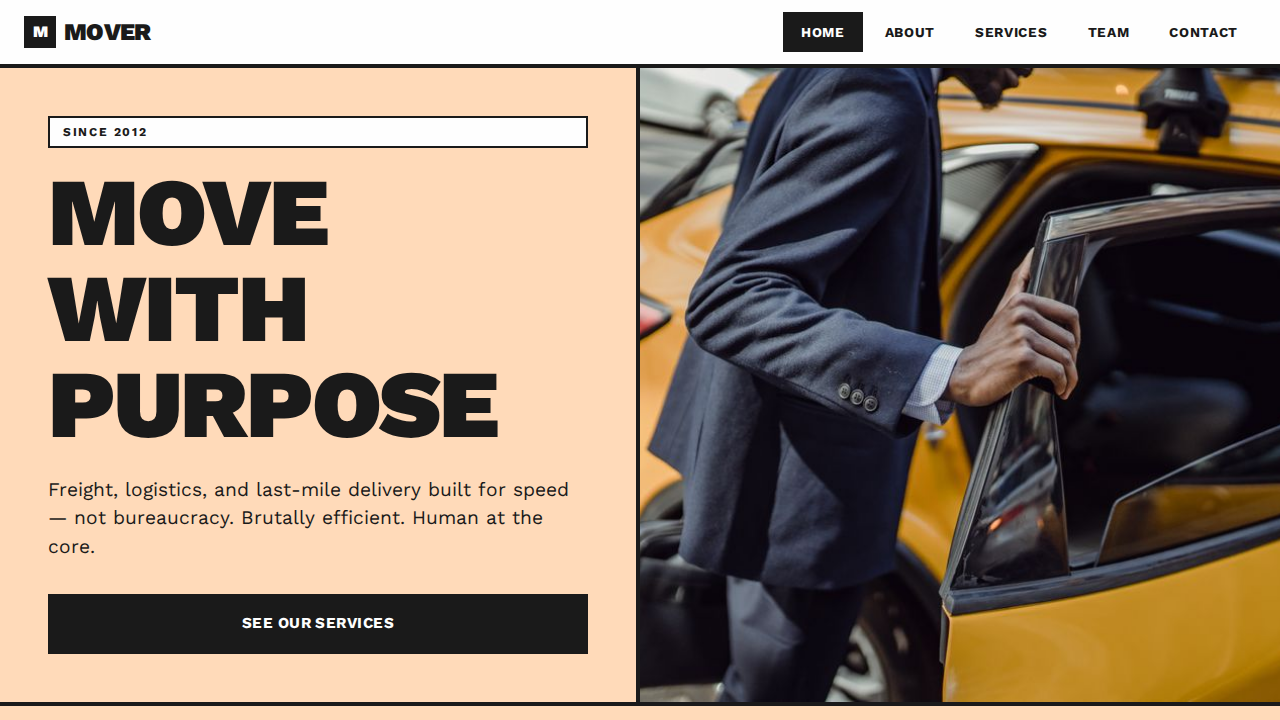
If you need inspiration for a similar service-business design, take a look at the Transportation Services Business template. Its layout demonstrates how HTMLY templates can be tailored to any niche while maintaining top performance.
Launching Your Translation Website
Choose a Hosting Provider
Static HTML sites can be hosted almost anywhere, often for free or at very low cost. Popular options include Netlify, Vercel, GitHub Pages, or traditional shared hosting like SiteGround. If you need a custom domain, purchase one from a registrar like Namecheap or Google Domains.
Upload Your Files
Use an FTP client (e.g., FileZilla) to transfer your edited template files to the server's public directory (usually public_html or www). Alternatively, platforms like Netlify let you simply drag and drop a folder.
Set Up a Professional Email
A contact form is great, but you also need a branded email address (e.g., info@yourcompany.com). Most hosting providers include email services; you can also use Google Workspace or Zoho Mail for a more robust solution.
Integrate Analytics
Add Google Analytics (or a privacy-focused alternative like Plausible) to track visitor behavior. Insert the tracking code just before the closing </head> tag.
Ongoing Maintenance and Updates
Once your site is live, don't forget to:
- Update your portfolio and testimonials regularly.
- Check for broken links or missing images.
- Keep your domain and hosting renewed.
- Periodically review performance and SEO metrics.
- Backup your entire site files before making major changes.
The best HTML templates require minimal upkeep compared to complex CMS platforms, but a little attention goes a long way in maintaining a professional image.
Conclusion
Launching a translation services website doesn't have to be daunting or expensive. With the right template from HTMLY, you can have a fast, beautiful, and fully functional online presence in hours, not weeks. This guide has walked you through every step—from setup and customization to SEO and launch. Now it's your turn to put these insights into action. Explore the collection of best HTML templates on HTMLY and give your translation business the digital home it deserves.